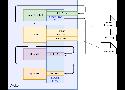

As more and more developers turn to Docker to streamline their development processes, it becomes increasingly important to understand how to take backup and restore a volume in Docker. In this article, we’ll explore the pain areas around volume backup and restoration, the reasons for doing it, and provide a comprehensive solution that will help you take backup and restore volumes with ease.

When you need to back up, restore, or migrate data from one Docker host to another, volumes are generally the best choice. You can stop containers using the volume, then back up the volume’s directory (such as /var/lib/docker/volumes/<volume-name>). Other alternatives, such as bind mounts, rely on the host machine’s filesystem having a specific directory structure available, for example /tmp/source on UNIX systems like Linux and macOS and C:/Users/John on Windows.



Tutorial about the configuration for DNS challenge for let's encrypt with Traefik
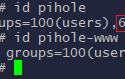

Useful for Fail2Ban, setting macvlans for docker in order to give an IP provided by the router itself.
A post documenting how to implement the healthcheck to monitor the containers easily.
Full tutorial to use the awesome docker image mailserver.
Tuto complet sur l'installation de Nextcloud via son image docker All-in-One

A great opensource mailserver based on Docker!