
Nice blog with articles about pfsence, crowdsec, mailcow...

Netgear is a bit special for the naming conventions about VLAN & Trunk.
Here is the explanation:
I agree it's a little confusing, and I cannot think of a case where the two values wouldn't match. Enterprise-grade switches don't seem to have this problem.
EDIT:
Netgear (and Dell) use some confusing terminology. But the principles are the same for any VLAN-capable switch:
VLANs are identified by number, and that is the PVID. So "vlan 6" has PVID = 6.
VLAN tagging is done per port. So a VLAN can be untagged on one port, but tagged on another.
If a port has only an untagged VLAN, then we call it an access port. The PVID is not part of the Ethernet frame that's sent out the port. Frames received on that port are put into the untagged VLAN. If the untagged VLAN is 6, any untagged frame received on that port is put into VLAN 6.
Cisco calls an untagged VLAN a native VLAN. It's just a different term for the same thing.
If you don't specify an untagged (native) VLAN on a port, then the untagged VLAN defaults to VLAN 1 (PVID=1). This is what Dell and Netgear mean by "default" VLAN: the VLAN that's assigned if you don't specify one. That is NOT the same as Native VLAN (see above). VLAN 1 can be tagged or untagged on a port.
If you tag a VLAN on a port, it's called a trunk port (Cisco term). Trunk ports are usually used to interconnect switches. Most PCs don't understand tagging since a tagged frame is a different Ethernet format. You can have as many tagged VLANs on a port as you like. But the port can have no more than one untagged VLAN. You can also disable untagged frames on a trunk port.
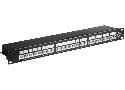
Switch POE IN/OUT
Can be powered via POE and can provide POE to Ethernet ports
Cheatsheet for network configuration:
CIDR Subnet mask Wildcard mask # of IP addresses # of usable IP addresses
/32 255.255.255.255 0.0.0.0 1 1
/31 255.255.255.254 0.0.0.1 2 2*
/30 255.255.255.252 0.0.0.3 4 2
/29 255.255.255.248 0.0.0.7 8 6
/28 255.255.255.240 0.0.0.15 16 14
/27 255.255.255.224 0.0.0.31 32 30
/26 255.255.255.192 0.0.0.63 64 62
/25 255.255.255.128 0.0.0.127 128 126
/24 255.255.255.0 0.0.0.255 256 254
/23 255.255.254.0 0.0.1.255 512 510
/22 255.255.252.0 0.0.3.255 1,024 1,022
/21 255.255.248.0 0.0.7.255 2,048 2,046
/20 255.255.240.0 0.0.15.255 4,096 4,094
/19 255.255.224.0 0.0.31.255 8,192 8,190
/18 255.255.192.0 0.0.63.255 16,384 16,382
/17 255.255.128.0 0.0.127.255 32,768 32,766
/16 255.255.0.0 0.0.255.255 65,536 65,534
/15 255.254.0.0 0.1.255.255 131,072 131,070
/14 255.252.0.0 0.3.255.255 262,144 262,142
/13 255.248.0.0 0.7.255.255 524,288 524,286
/12 255.240.0.0 0.15.255.255 1,048,576 1,048,574
/11 255.224.0.0 0.31.255.255 2,097,152 2,097,150
/10 255.192.0.0 0.63.255.255 4,194,304 4,194,302
/9 255.128.0.0 0.127.255.255 8,388,608 8,388,606
/8 255.0.0.0 0.255.255.255 16,777,216 16,777,214
/7 254.0.0.0 1.255.255.255 33,554,432 33,554,430
/6 252.0.0.0 3.255.255.255 67,108,864 67,108,862
/5 248.0.0.0 7.255.255.255 134,217,728 134,217,726
/4 240.0.0.0 15.255.255.255 268,435,456 268,435,454
/3 224.0.0.0 31.255.255.255 536,870,912 536,870,910
/2 192.0.0.0 63.255.255.255 1,073,741,824 1,073,741,822
/1 128.0.0.0 127.255.255.255 2,147,483,648 2,147,483,646
/0 0.0.0.0 255.255.255.255 4,294,967,296 4,294,967,294
Lists of ports I need to allow to be able to use plex properly:
TCP: 32400 (access to the Plex Media Server) [required]The following additional ports are also used within the local network for different services:
UDP: 1900 (access to the Plex DLNA Server)
UDP: 5353 (older Bonjour/Avahi network discovery)
TCP: 8324 (controlling Plex for Roku via Plex Companion)
UDP: 32410, 32412, 32413, 32414 (current GDM network discovery)
TCP: 32469 (access to the Plex DLNA Server)

Tutorial + discussion about VLAN in a network with domotic, IOT and HA